I’m going to quoteyou on that.
Keep the things your family and friends actually say. Who said it, when, and everyone piling on — in a feed only your group can see.
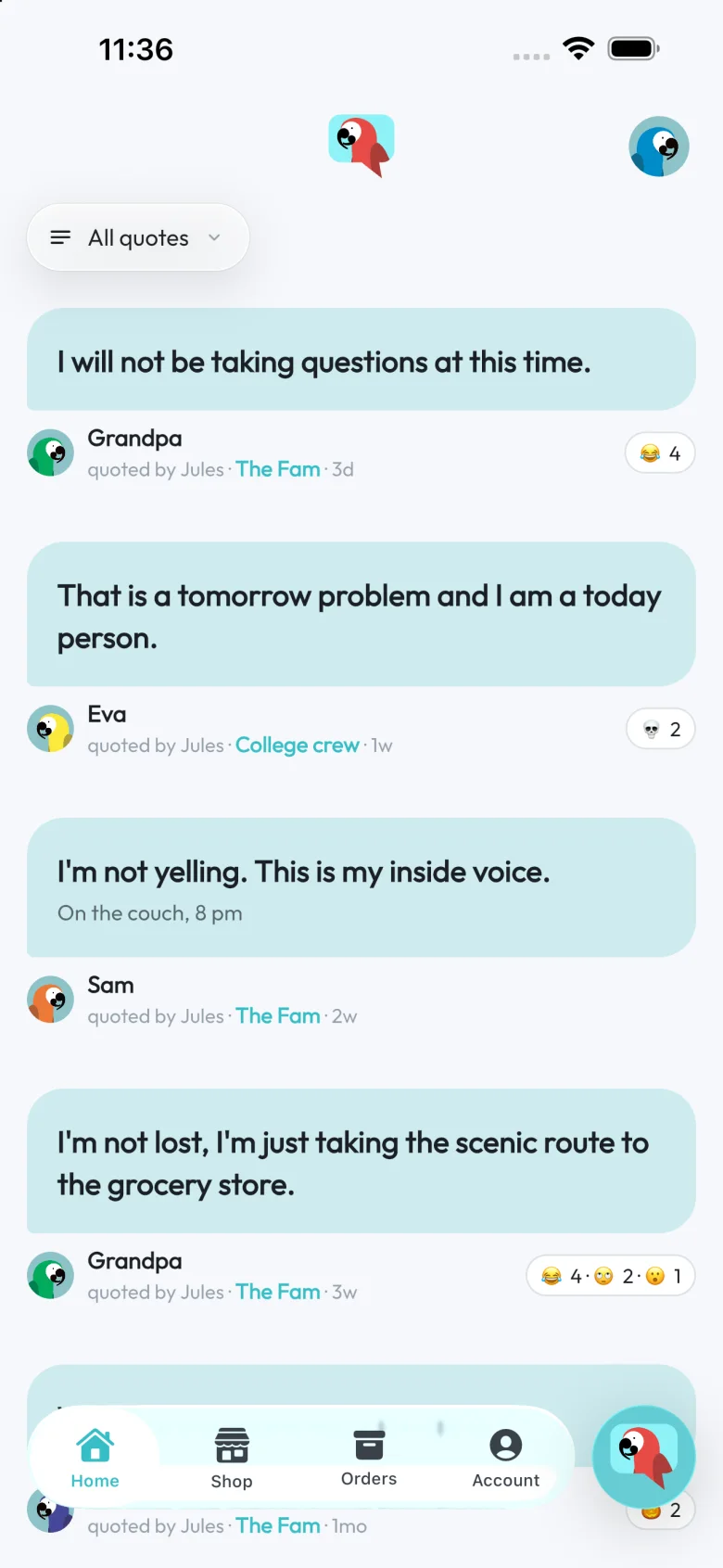
Keep the things your family and friends actually say. Who said it, when, and everyone piling on — in a feed only your group can see.
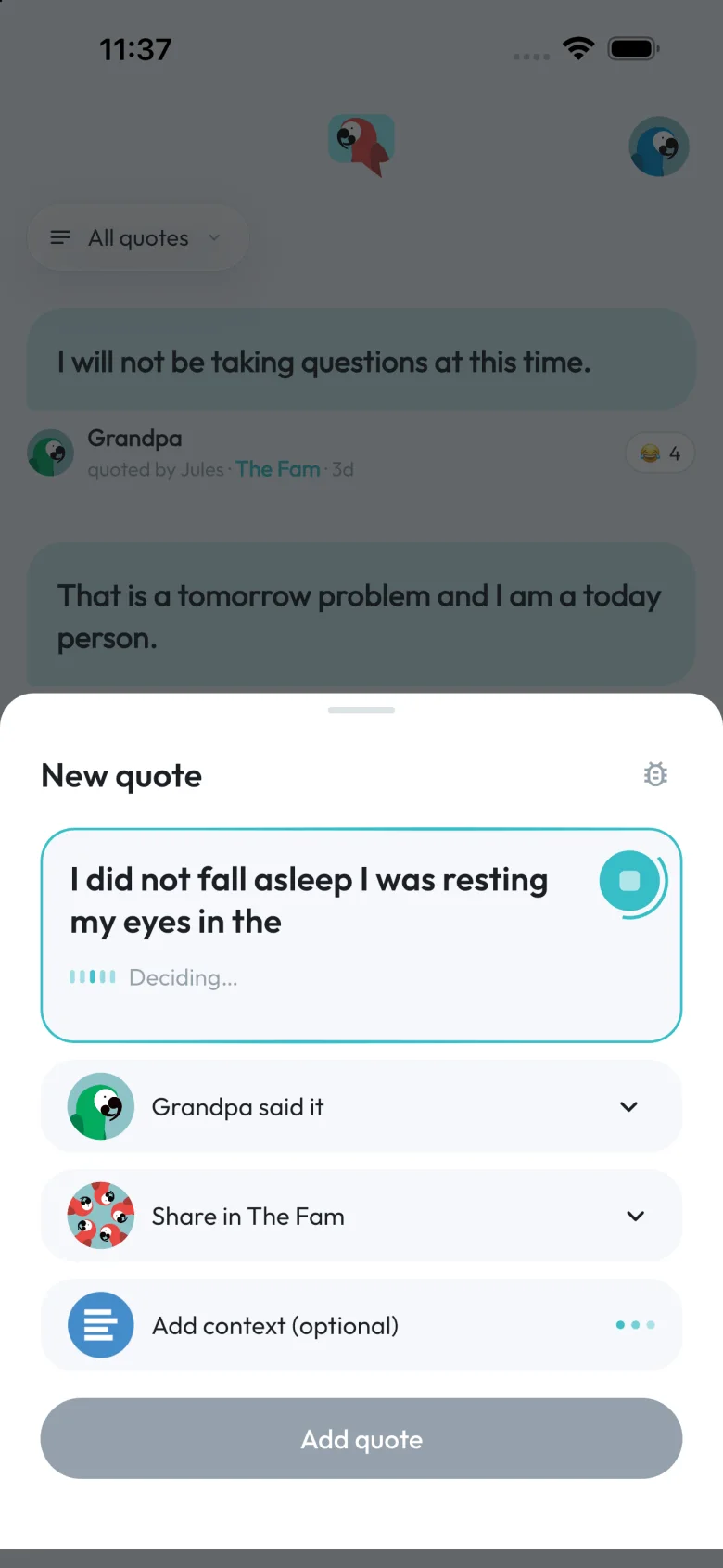
No typing at the dinner table. Hold the parrot, repeat the line, and quoteyou works out the quote, who said it and which group it belongs in.
One for the family, one for the roommates, one for the group chat that never sleeps. Each gets its own feed.
Drop it in the chat. Tapping it opens the app right at your group — or the App Store first, if they don’t have it yet.
Say it or type it. It’s in everyone’s feed before they’ve finished laughing.
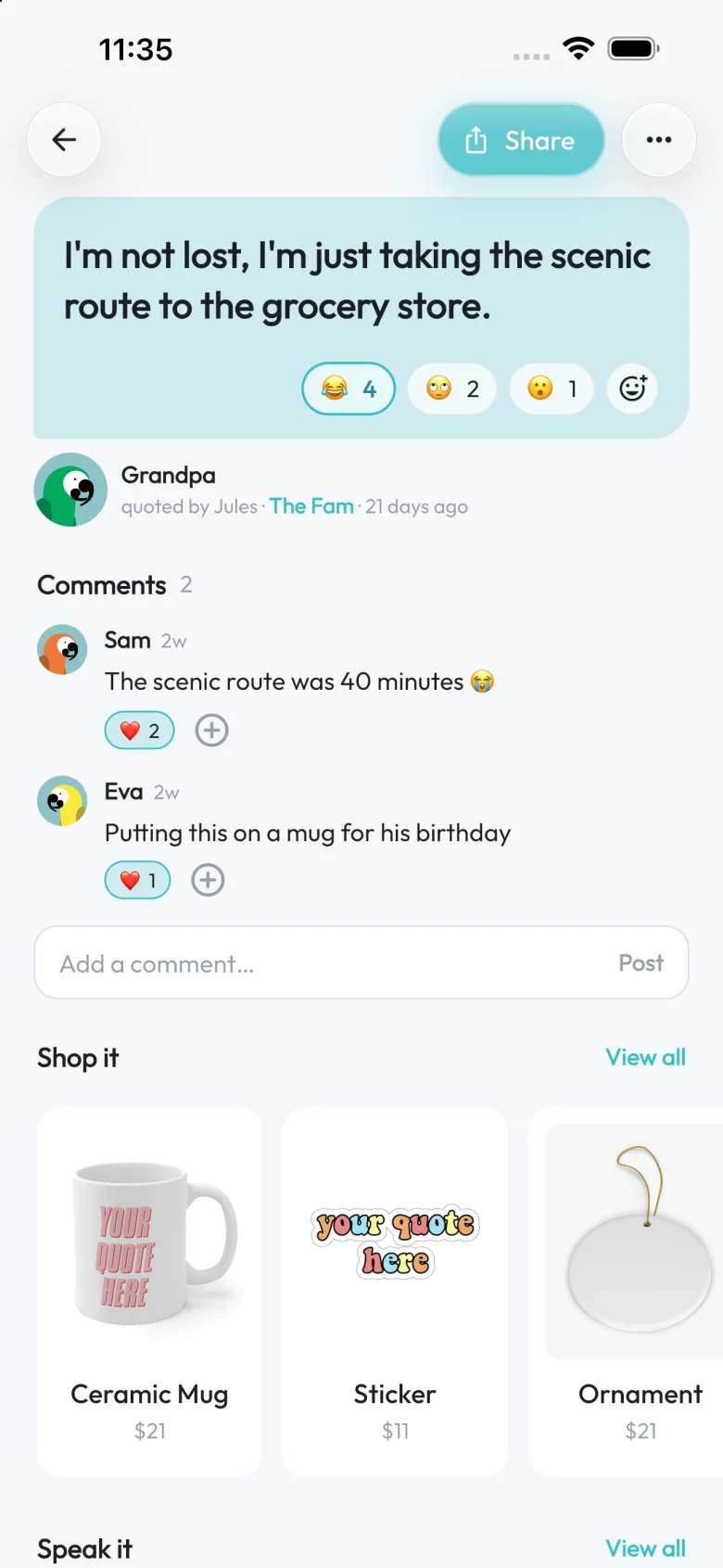
Who said it, who caught it, what was going on at the time. Then everyone piles on.
Tap an emoji. See exactly who picked what.
Add the part that made it funny. Like the replies that land.
Hear it in the King’s voice. Or the Leprechaun’s.
Put it on a mug before dinner’s over.
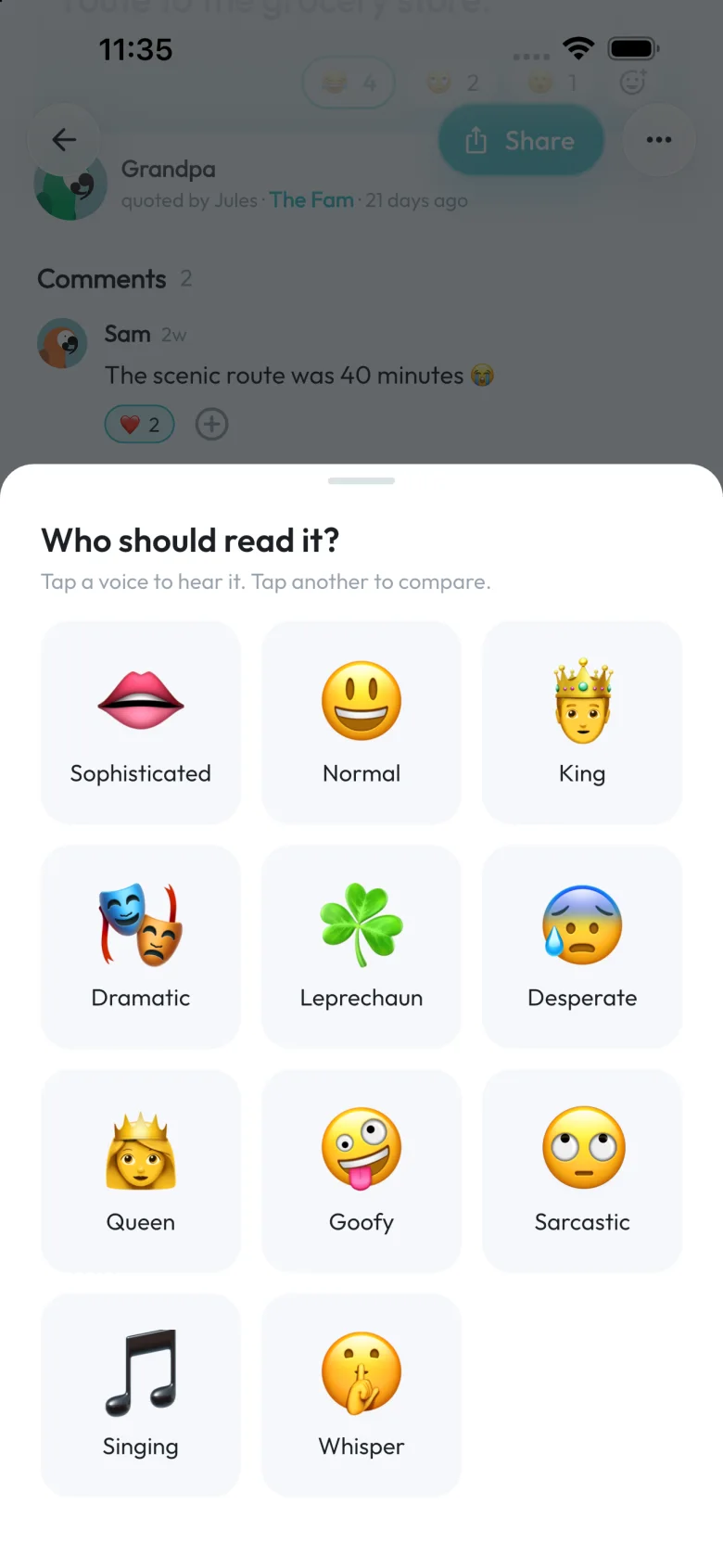
Every quote can be played out loud in one of eleven voices — the King, the Queen, a very committed Leprechaun, someone Sarcastic, someone who only Sings. Each line gets its own delivery, and the audio is yours to share.
Free, like everything else except the merch.
Share any quote as an image, or straight to your Instagram story — with custom backgrounds or your own photos.


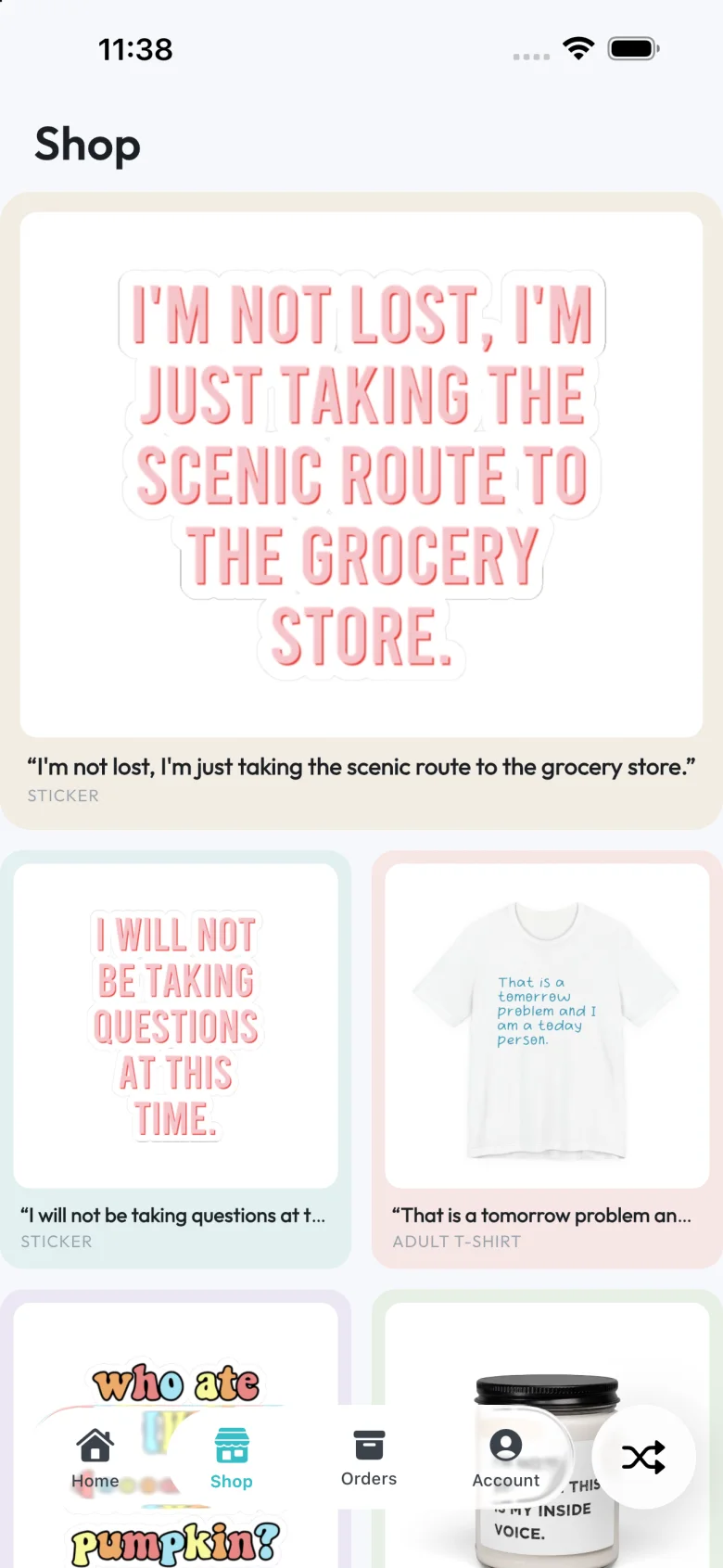
Stickers, tees, mugs, candles, ornaments — even socks — with your quotes on them. Free shipping on all of it.
Invite-only groups. No public feed, no strangers, no algorithm deciding what’s funny.
Kids, grandparents, the dog. The person who said it doesn’t need an account — add a name and a photo and they’re in.
The iPhone app, a proper iPad layout, and the full thing at app.quoteyou.app. Same account, same groups.
Groups, quotes, reactions, comments, voices, cards — all free. The only thing with a price is the merch, if you order it.
Something else? There’s a Help centre in the app, and a real person reads the feedback.
Yes. Groups, quotes, reactions, comments, voices and cards are all free. The only thing you pay for is merch, if you order it.
Only the people in that group. Groups are invite-only — someone has to open your invite link to join. There’s no public feed and nothing is searchable outside your groups.
Open a group, tap Share, and send the link however you like. Tapping it opens the app straight to that group’s invite screen — or takes them to the App Store first if they don’t have it yet.
Yes. Hold the parrot and say it the way you’d tell a friend — “Grandpa said he will not be taking questions at this time, in the family group.” The quote, the speaker and the group fill in as you talk, and you can fix any of them with a tap.
Yes. You can add anyone as the person who said it — kids, grandparents, the dog — without them needing an account. Give them a photo and they show up like everyone else.
Both work. The iPhone app is on the App Store, and the full web app runs at app.quoteyou.app with the same account and groups.
I’m gonna quoteyou on that.

